
UntilTime - Daily Routine & Time Tracking App
It was the first app I developed in React Native and published on the Play Store. One of the main reasons I wanted to create this app was because I loved analyzing how much time I spent on a daily task. For example, during school, I would wake up in the morning and do math, start the timer, then continue, work a little more in the afternoon, a little more in the evening, and so on. The same logic applied to other tasks. I've always wondered how much time I periodically spend on tasks, whether planned or not. It shouldn't just be considered work. I start a timer when I'm going from one place to another and stop it when it's done. I wanted to name the app untilTime.
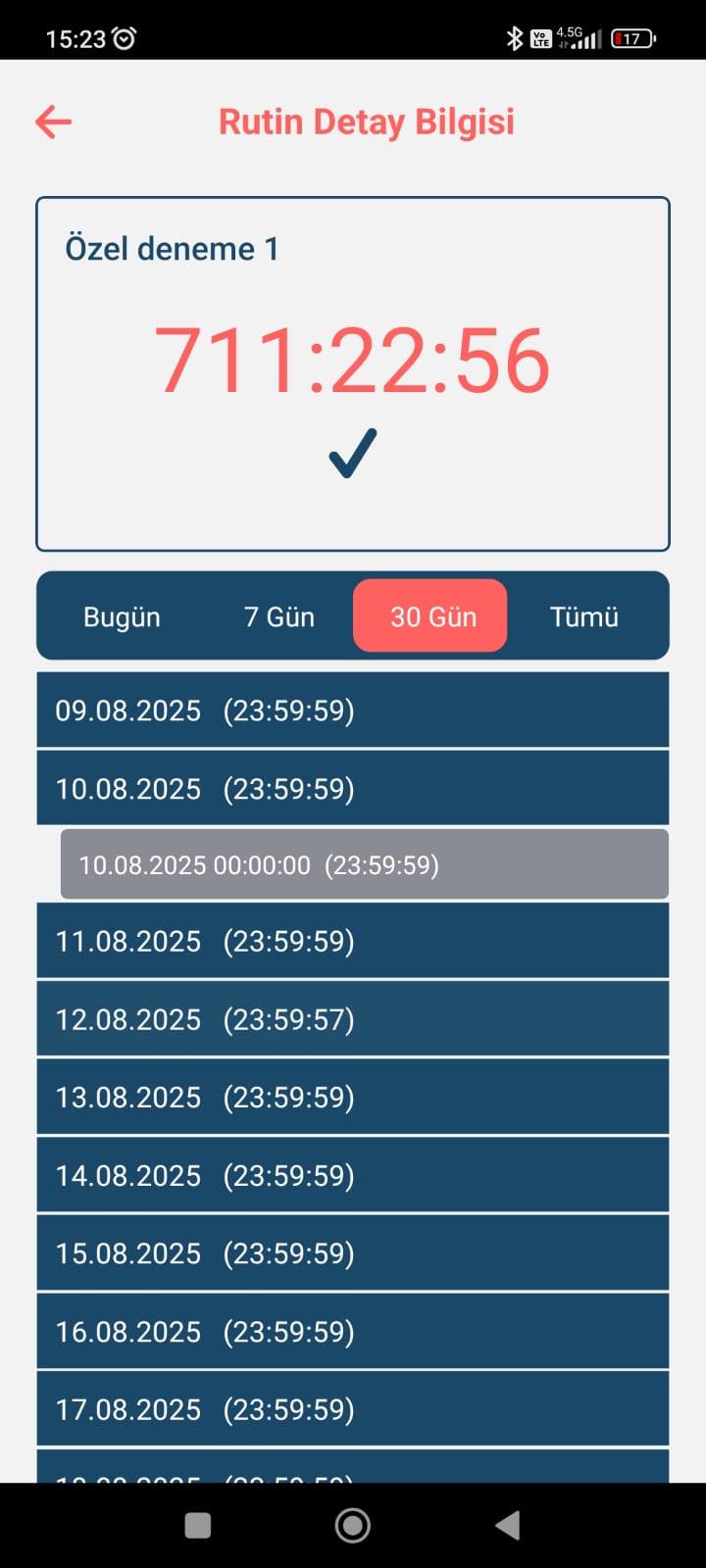
The application consists of a simple interface. As seen below, we first save our routines in the application. Here, routines and timers are saved on a device-by-device basis. When the application opens, the device's unique address and device information are saved in the database (MySQL). After saving, we click the "Add a New Routine" card, which directs us to the routine addition page. Here, we select the routine name and whether it should appear on the homepage. After saving, we can start the time spent on the routine. We start the time with the Play button. Once the timer has started, the Play button turns into a Check icon. We can stop the routine by clicking the Check button. The times displayed on the homepage show the time from the Play button to the current time. To update a routine, we can update it, review its details, or delete it from our list by clicking the three dots in the upper right corner of the cards.
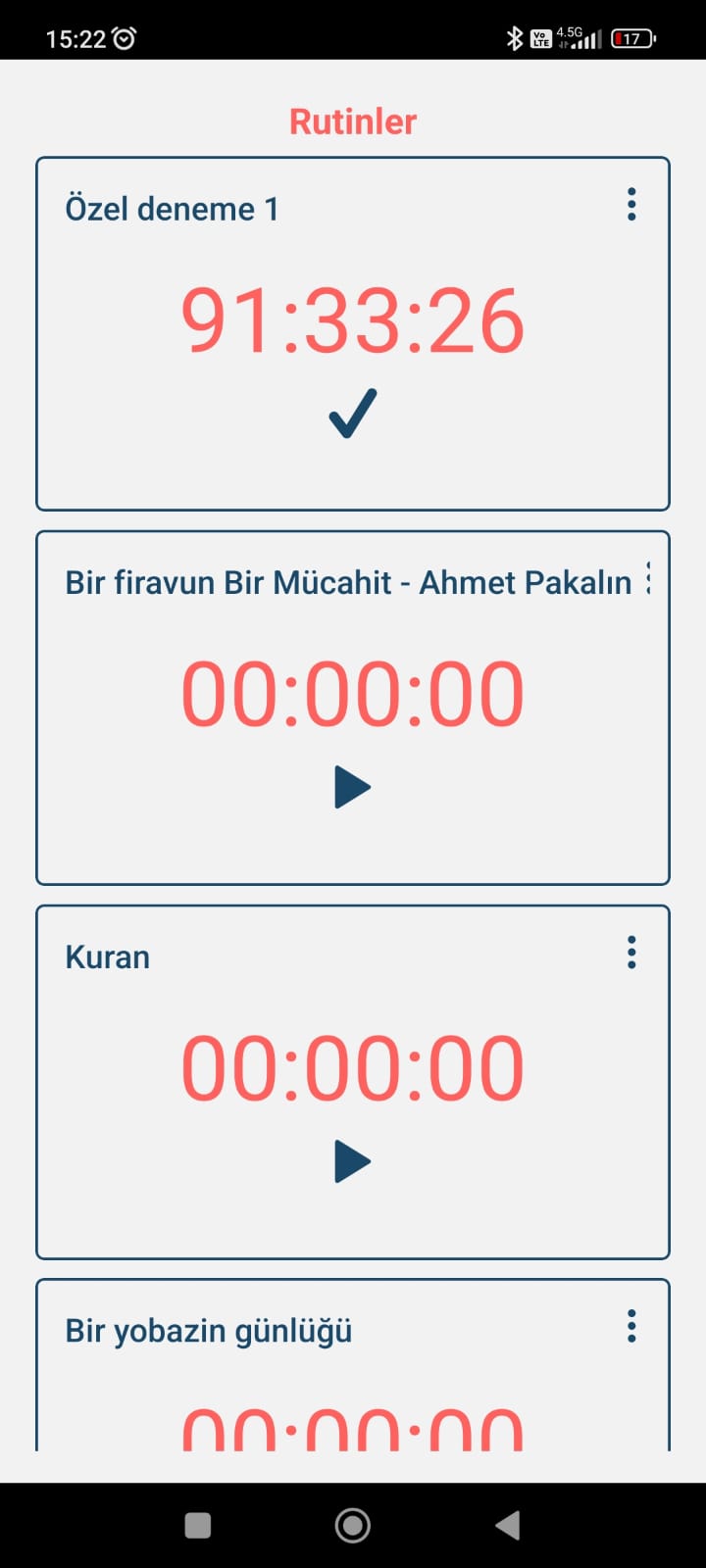
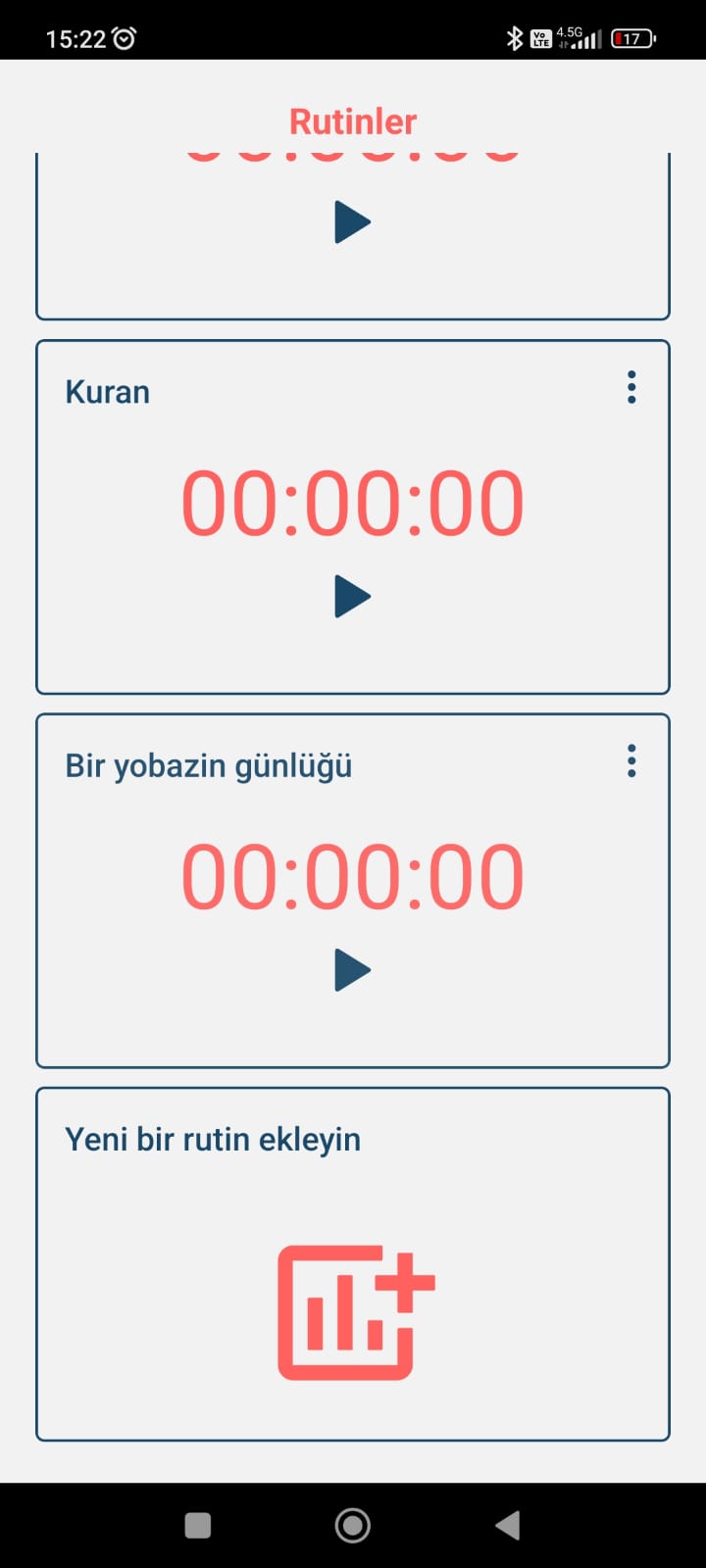
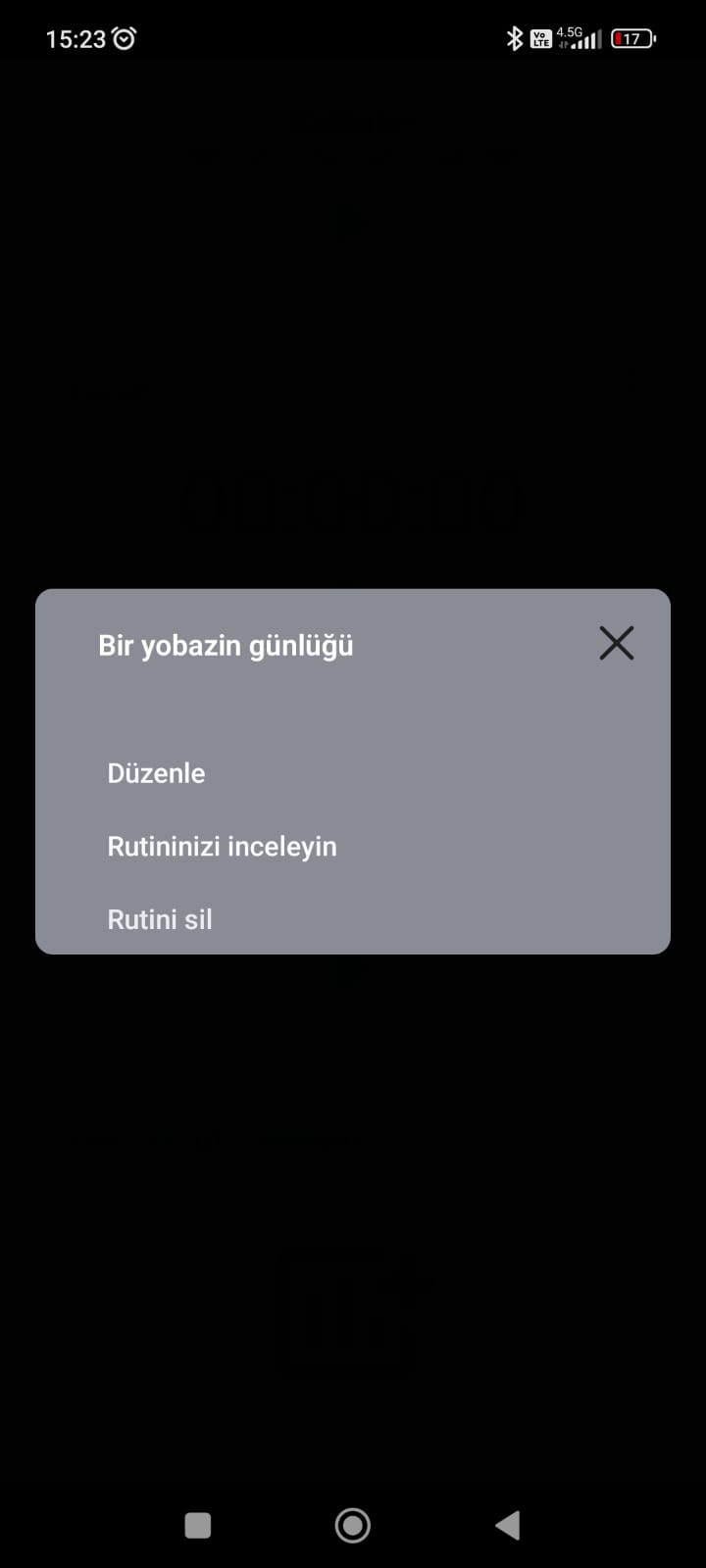
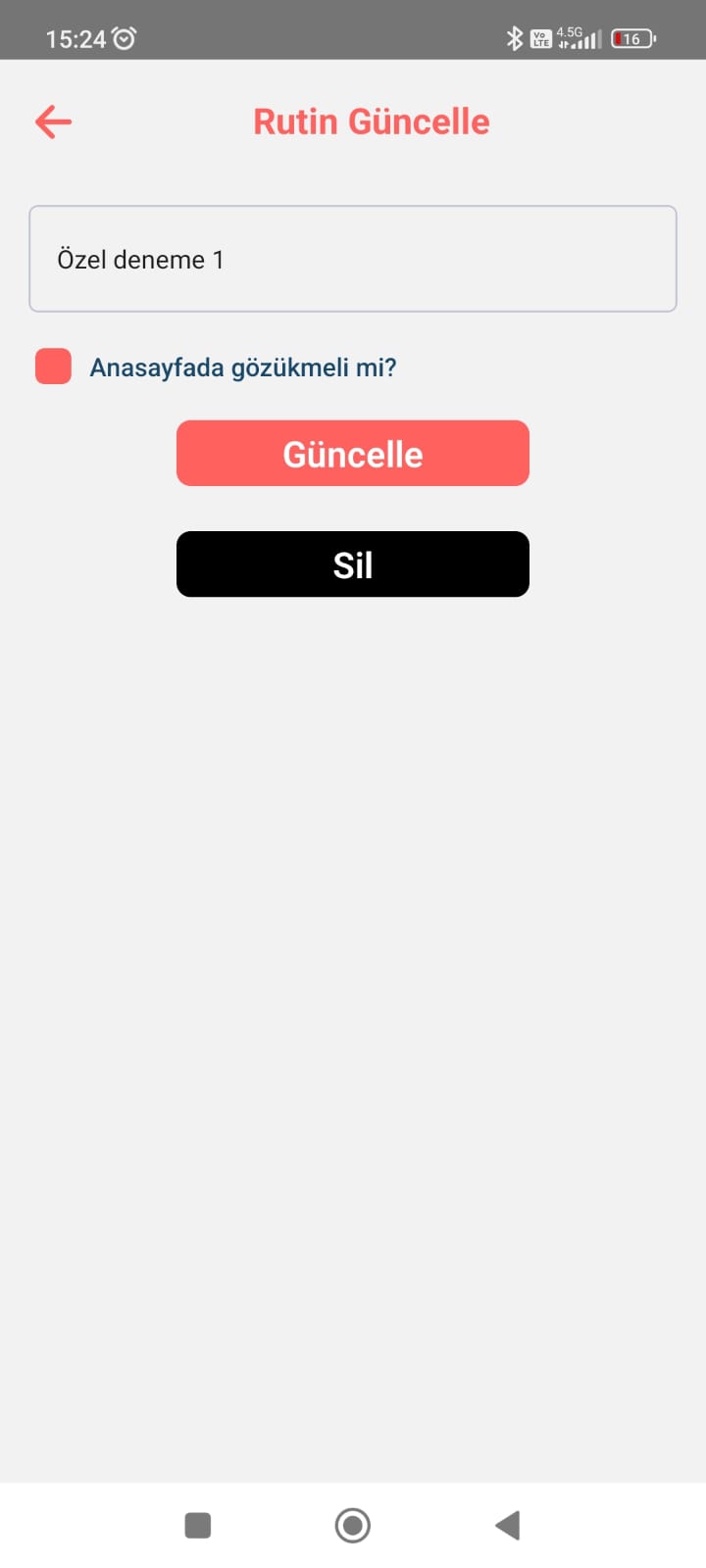
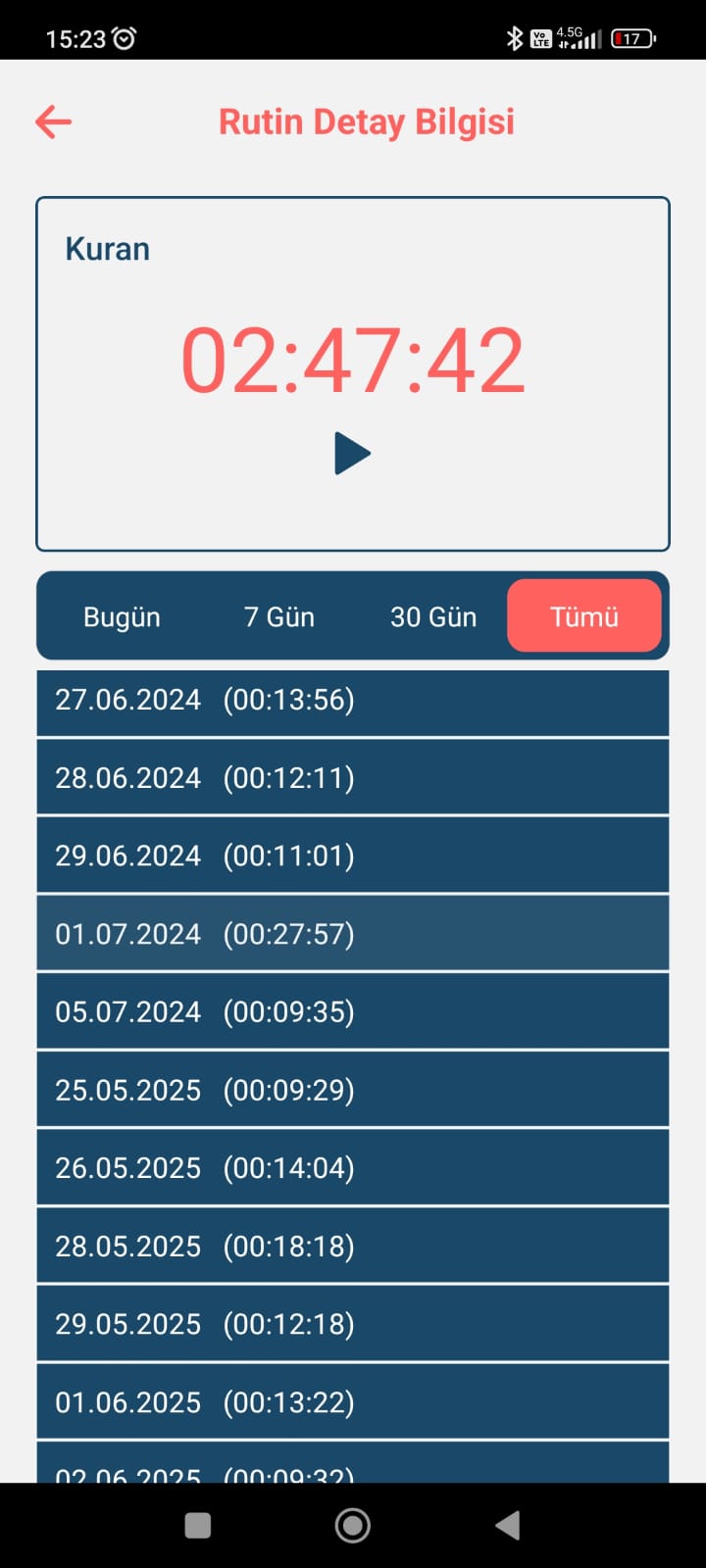
When examining the routine's details, we can track it in four different timeframes, as shown below. We can track only today's time, but when we do, the Duration section shows the time spent today. Alternatively, we can display the time spent over the last 7 days. Here, we can track how much time was spent over the last 7 days, how many times it was run in total, and how much time was spent running it. The same logic applies to the last 30 days and beyond. As seen in the Untiltime application, the time in parentheses represents the time spent that day. Clicking on the line also shows the number of times it was run that day, and the number of minutes it was run.
The UntilTime app is a useful mobile app for tracking the time you spend on a task or routine. I've seen other apps that do the same job at a basic level, but using my own creation is a unique experience. I can customize the app by adding features I see are missing. I coded the frontend of the UntilTime app with React Native, and the backend with basic CRUD operations in PHP. The app is currently available for download only from the Play Store.
You can contact us for your feedback or questions about the application.
